Manually updating 1,800 column descriptions across 120 Domo datasets isn't a workflow — it's a punishment.
When Mark posted this problem in the Domo User Group Slack, the ask was clear: take a CSV of table names, column names, and descriptions, and push them into Domo programmatically. No clicking. No copy-paste. Just a script that runs and finishes.
Why It Matters
The Domo UI gives you no bulk-edit path for dataset column descriptions. Without a scripted approach, this kind of metadata work falls on whoever has the most patience — and it still won't scale the next time schema changes. The domolibrary Python package exposes the dataset schema API in a way that's composable with standard data tooling, meaning you can drive updates from a CSV, a DataFrame, or any structured source. Once this pattern is in place, keeping column-level documentation current becomes a repeatable task instead of a one-time ordeal.
What You'll Learn
- Authenticate against a Domo instance using account properties stored in a Jupyter-accessible credential object
- Fetch the current schema for a dataset using
domolibrary's dataset routes - Map column descriptions from a CSV to the dataset schema structure
- Push schema updates back to Domo via the API
- Use debug flags to inspect API calls during development without flooding logs in production
Driving Schema Updates from a CSV with domolibrary
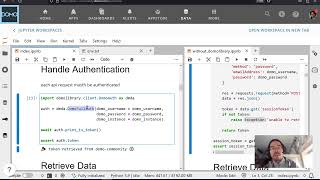
The notebook starts with authentication. Rather than hardcoding credentials, Jay pulls them from a Domo account object using domo_jupyter — the property values (access token, username, stored password) get loaded into a creds object that generates the authorization headers every subsequent API call needs. This pattern keeps secrets out of the notebook and works naturally in both local Jupyter and Code Engine environments.
With credentials in hand, the next step is fetching the existing dataset schema. domolibrary's dataset routes return column-level metadata including name, type, and description. That structure becomes the target — you're not replacing the schema wholesale, just patching the description field on each column.
The update loop is where the CSV mapping happens. Each row in Mark's input file carries a dataset ID, column name, and desired description. The notebook matches on column name, writes the new description into the schema object, and queues the update. The debug_api flag Jay uses throughout is worth noting: it lets you print the constructed API payload before actually sending it, which is invaluable when you're iterating on the field-matching logic and don't want to fire 1,800 partial updates at a live environment.
The final push calls the schema update endpoint with the modified column list. Because the loop is driven by a plain DataFrame, swapping in a different CSV — or generating descriptions programmatically via an LLM — requires almost no changes to the rest of the script. Jay floats that idea in the video, and the architecture genuinely supports it.
The full notebook is linked in the description and works as a drop-in starting point for any bulk schema operation, not just description updates.