Why do chatbots feel bad? What makes them feel dumb? Marcus Wilkins — Lead Data Scientist at InformData, 2025 Domo AI Visionary — built DAISY (Data Analytics and Intelligence System), the most visible agentic AI chatbot in the Domo ecosystem. He didn't just build a chatbot. He evolved it through three stages until it became something else entirely: a self-reviewing intelligence network.
On May 27, Marcus joined me for a live session with working demos built entirely in Domo. 30 minutes of presentation + live demo, 30 minutes of open Q&A. Not a lecture — a conversation with the product on screen.
Why Chatbots Feel Bad
The "brains in a jar" problem. You ask a question, you get an answer, but it feels wrong — or worse, it feels right and it's wrong. What makes the experience bad?
- No context — the chatbot doesn't know your data, your business, or your role
- No memory — every conversation starts from zero
- No guardrails — it'll answer anything, even when it shouldn't
- No feedback loop — wrong answers don't get caught
Marcus put it bluntly: when users throw company-specific lingo, shorthand, and slang at a chatbot, the model tries to decide for itself what those terms mean. The result? Confidently incorrect answers that can't be repeated — which destroys credibility.
DAISY's Three-Tier Evolution
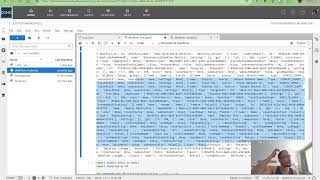
Marcus walked through each tier with a live demo built in Domo's Pro Code Editor:
Tier 1 — Schema-only baseline
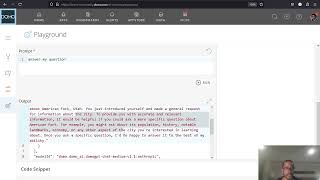
The standard chatbot most people build. Give it your data schema (column descriptions, metadata, counts), a developer prompt, and let it generate SQL. Marcus demonstrated with a fake dataset ("555 Fulfillment Robotics") — the chatbot generates SQL, runs a safety gate, loops until it gets results or hits a timeout, then shows the answer.
It works. But it feels dumb the moment a user asks about "cycle time" when the column is called "avg_processing_seconds."
Tier 2 — Context-aware chatbot
Add a glossary of business terms, metric definitions, and domain-specific shorthand. Now the chatbot understands what your people actually mean. Marcus showed how adding a glossary table lets the chatbot resolve "downtime" to the right column, "cycle time" to the right calculation — and stops confidently giving wrong answers based on misinterpreted jargon.
This is where most people stop. It's better. But it's still a chatbot.
Tier 3 — Self-reviewing intelligence network
The game-changer. Every question gets solved and cached. The next time someone asks the same thing, the AI doesn't even need to run. The result: dramatically lower token spend, faster responses, and repeatable answers.
Marcus showed how DAISY solves a pattern once, stores it, and on the next identical question, returns the cached answer without engaging the LLM at all. Imagine what that does to your token bill.
The jump from Tier 1→2 made it smarter. The jump from Tier 2→3 made it trustworthy — and cheap to operate.
The Secure Schema Query Pattern
A key point Marcus emphasized: DAISY never touches raw data. The SQL executes in a sandboxed environment, and the chatbot is physically (digitally) prevented from accessing raw rows. At InformData, which handles sensitive people data, this is non-negotiable. The AI works against the schema — column descriptions and metadata — not the actual data.
RAG vs Tool-Calling: Explained for Beginners
One of the best moments was when an attendee asked "What even is RAG?" and Marcus broke it down:
- RAG (Retrieval-Augmented Generation): The AI goes out, retrieves data, brings it back, and makes decisions based on what it retrieved — rather than just working within its base training data.
- Tool-calling: The AI decides which tool to invoke (run SQL, send an email, call a Jupyter notebook) and gets a deterministic answer back.
DAISY uses both. The retrieval side handles context (what does "downtime" mean here?). The tool-calling side handles execution (run this SQL against the dataset).
Emma Bot: A Domo User Group Slack Agent
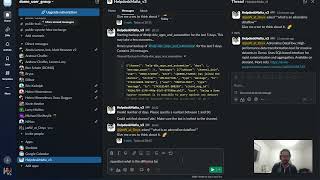
I demoed Emma Bot — the Slack agent I added to the Domo User Group channel. The approach: give the agent curated documentation (Domo docs, crew-dcs library), have it cite sources, and safety-gate responses so it doesn't hallucinate.
I showed how Emma Bot identified a gap in my crew-dcs library (missing classes for Domo FileSets API), proposed the new code, and then created a runbook documenting the whole process. The key insight: once the agent knows how to interact with Domo's APIs, the rest is orchestration.
AI as a Development Sounding Board
Marcus brought up Margaret Boden's work on conceptual spaces and machine creativity. He uses AI as a sounding board for new ideas — bouncing concepts off it, then using that exploration to build the more solution-oriented tools he demos.
I related: I once described a workflow to an engineer and they said "What you're talking about is an event bus." I'd never heard that term. But once I knew the name, I could Google it. That's what RAG gives you — the ability to find the right concept even when you don't know what it's called.
Key Takeaways
- Chatbots feel bad when they have no context, no memory, no guardrails, and no feedback loop
- DAISY's three-tier evolution: schema-only → context-aware → self-reviewing intelligence network
- The secure schema query pattern — AI never touches raw data
- Tier 3 caching eliminates redundant LLM calls — dramatically lower token spend
- Context engineering > prompt engineering for production — structure the information layer
- RAG handles context (what terms mean); tool-calling handles execution (what to do)
- Use AI as a sounding board — then build solution-oriented tools from what you learn
Guests
- Marcus Wilkins — Lead Data Scientist, InformData. 2025 Domo AI Visionary (Ovation Award). Built DAISY using Domo.AI, FileSets, and Pro Code Editor. Self-taught practitioner who went from Background Investigator to Lead Data Scientist. MajorDomo certified. (LinkedIn)
Resources
- Session Code (GitHub) — Marcus's full demo app code
- Letta Code — Memory-first AI agents (used for Emma Bot demo)
- #domo-docs — Watch Jae work on Letta agents live & stress test the knowledge base
- InformData Customer Story
- From Chatbot to Intelligence Network (DP26)
- Fireside Chat with InformData (DP25)
- Control the Conversation: Agentic AI Chatbots (DP25)
- Context Engineering vs Prompt Engineering (Neo4j)
- MCPs vs Skills — The Debate
Join the Domo User Group conversation at Domo User Group Slack.