Hook
Domo has AI APIs — but knowing they exist and knowing how to wire them into a real conversational loop are two different things. This walkthrough tears down the plumbing: auth, message history, system prompts, and the endpoint handler pattern that makes it all composable.
Why It Matters
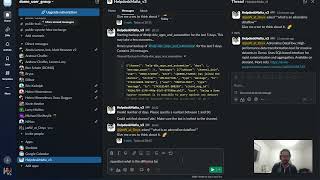
Without explicit conversation history passed on every request, Domo GPT has no memory — each call is a cold start. The pattern here solves that by accumulating a structured message list and sending the full context on every turn. It also means you can inject personality and behavior rules at the system prompt level, not as afterthoughts. Once you have this foundation, you can point the same pattern at any Domo AI endpoint.
What You'll Learn
- Authenticate against Domo's API by extracting and validating an access token from account objects using the Domo Library SDK
- Build a message history accumulator that maintains multi-turn conversation context
- Define a system prompt to control chatbot behavior and response format (including markdown output)
- Wrap API calls in an
Endpointhandler class with aninvoke()method and debug flag support - Send structured payloads to Domo's Community API
text_generationendpoint
Building the Conversation Loop in Domo GPT
The core of this implementation lives in three pieces: an auth object, a prompt/history system, and an endpoint handler.
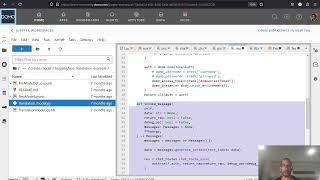
Authentication starts with the Domo Library — a custom SDK that reads account objects, extracts an access token, and validates it before any API call goes out. This is the same auth pattern used across Domo's Dataset and User APIs, so it's worth learning once and reusing everywhere.
The message history system is straightforward: a list of message objects that grows with each turn. The system prompt — "please continue this conversation filling in the best response; if applicable please respond in markdown" — is fixed at initialization and defines the chatbot's baseline behavior. Swapping in a pirate persona is as simple as changing that string.
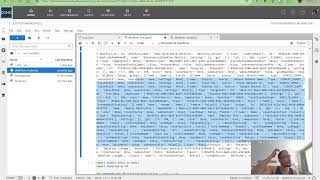
The Endpoint class wraps the actual HTTP call to domo_community_api/text_generation. Its invoke() method accepts the accumulated messages list, fires the request, and returns a transformed response. Setting debug_api=True exposes the raw request/response cycle, which is invaluable when you're first mapping out what the API actually expects in the body.
The key insight: Domo GPT isn't doing anything magical — it's a standard chat completion API. The "memory" is just the message history you're responsible for carrying. Own the history, own the conversation.