When the API returns what it has, not what you need — and how to bridge that gap with recursive Python.
Domo Jupyter's content API returns only the items at the path you specify. If your target file lives inside a subfolder, it simply won't appear in the response. The API isn't broken; it's just literal. The fix lives entirely in your library code.
Why It Matters
Without recursive traversal, any content search against Domo Jupyter is shallow by default — you'll miss files nested inside folders, and your queries silently return incomplete results. This matters especially as workspaces grow and teams organize content into folder hierarchies. More broadly, this video surfaces a design principle that applies across API wrapper development: distinguishing between what the API does and what callers actually expect it to do, then owning that gap explicitly in your library layer.
What You'll Learn
- Recognize the behavioral gap between a raw API response and a caller's reasonable expectations
- Build a recursive Python function that traverses Domo Jupyter folders and subfolders
- Decide when recursive behavior belongs on a class method versus a standalone utility function
- Apply the factory design pattern to keep routes responsible only for API interaction
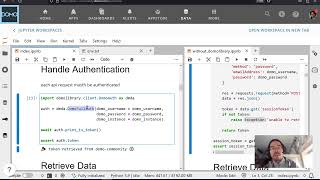
- Compose authentication, request construction, and response handling as separate concerns
Designing Recursive API Wrappers: Separation of Concerns in Practice
The core tension in this video is a clean one: get_jupyter_contents does exactly what the API does — it fetches content at a given path. But the function callers actually want is one that walks the full tree. Rather than bloating the base route function, the approach here is to layer recursive behavior on top of it, keeping each function responsible for exactly one thing.
The design decision of whether to make recursive traversal a class method rather than a standalone function comes down to expectations: if every caller of this API would reasonably assume they're getting all nested content, then recursive behavior belongs as a default on the class, not as an opt-in utility. That's a meaningful distinction — it shifts recursive traversal from a convenience into a contract.
This fits directly into the broader pattern established in earlier videos in this series. Routes are responsible for constructing and firing the API call. Authentication is handled by the auth object. Body construction for updates lives in its own set of functions. Recursive traversal is the next layer — it belongs with the content-fetching behavior, not scattered across call sites.
In practice, the recursive function checks whether each returned item is a folder, and if so, calls itself on that path — accumulating results into a flat list. The base get_jupyter_contents route stays unchanged; the recursive wrapper owns the traversal logic. This makes both functions independently testable and keeps the codebase navigable as complexity grows.
If you're building Python wrappers around any hierarchical content API, this pattern translates directly: find the behavioral gap, own it in a dedicated function, and keep your base routes dumb.