Hook
Calling Domo's API from Jupyter is straightforward — until you need to do it more than once. Without a clean abstraction layer, you end up with duplicated request logic scattered across cells and notebooks that break the moment an endpoint changes.
Why It Matters
Route functions give you a single, reusable entry point for every Domo API call you make from Python. Without them, query logic bleeds into analysis code, parameters get hardcoded in random cells, and debugging a failed request means hunting through a notebook rather than reading a function signature. Building this abstraction in part two of this series means every subsequent query — datasets, cards, groups, users — follows the same pattern. You write the plumbing once and never think about it again.
What You'll Learn
- Structure a Python route function that wraps a Domo API endpoint cleanly
- Pass dynamic parameters without hardcoding them into request calls
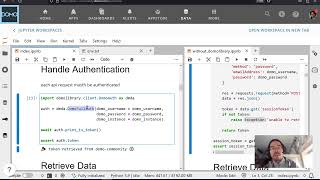
- Handle base URL construction and authentication headers at the route level
- Understand why separating transport logic from query logic pays off at scale
- Connect this pattern to the broader four-part framework for Domo + Jupyter integration
Building the Route Function Pattern
The core idea is treating each Domo API endpoint as a named function — get_dataset, list_cards, etc. — rather than a raw requests.get() call. Each route function owns its path construction, injects credentials from a shared auth object, and returns a normalized response.
In practice this means defining a base client or session object early (covered in part one) and then building route functions on top of it. The function signature does the documentation work: get_dataset(dataset_id: str, limit: int = 100) is self-explanatory; a cell full of URL string concatenation is not.
The limit and pagination parameters are worth paying attention to here — Domo's API returns paginated results by default, and baking pagination handling into the route function (rather than the calling notebook) means your analysis cells stay readable.
One pattern that pays dividends later: return the raw response object from the route function and parse it in a separate step. This makes it easy to log, inspect, or mock responses during development without rewiring the function itself.
By the end of this video you have a working, importable module of route functions that the remaining two parts of the series will build queries against.