Hook
Your user data lives in a Domo dataset — franchise names, store numbers, training completions — but Domo's user profiles are stuck with stale or missing attributes. Here's how to close that gap programmatically using the Domo API and DomoLibrary.
Why It Matters
Without automation, keeping custom managed attributes in sync means manual updates or hoping your IDP handles it — neither scales when you're managing hundreds of franchise or restaurant-level users. Custom attributes are the foundation for Dynamic Groups and PDP policies, so if they're wrong, your data governance is wrong. The Domo API exposes endpoints to both create attributes and update user records, but the auth, pagination, and request patterns are non-trivial to wire up from scratch. DomoLibrary abstracts that surface so you can focus on the logic, not the plumbing.
What You'll Learn
- Understand how Domo custom managed attributes work — who can set them, where they come from (IDP vs. API vs. manual), and what constraints apply
- Authenticate against the Domo API using DomoLibrary's credential handling
- Read user records from a Domo dataset and map them to Domo user objects
- Create and update custom attributes on existing users via API
- Think through the governance model — who should be allowed to update which attributes, and how to encode that as policy
Wiring Dataset Records to Domo User Attributes
The core pattern here is a pipeline: pull structured user data from a Domo dataset, look up the corresponding Domo user by some shared identifier (typically email or username), then PATCH the user record with updated attribute values.
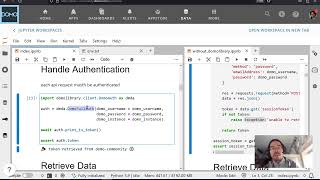
Jay walks through this using DomoLibrary, which wraps Domo's REST API with typed Python classes. The key objects are DomoUser and DomoCustomAttribute — you instantiate them from dataset rows, then call the appropriate update methods.
One decision point worth understanding: Domo distinguishes between attributes that are IDP-managed (read-only via API, set only through SSO), Domo-managed (editable by users with the grant_edit_users permission), and fully custom attributes you define yourself. If you try to write to an IDP-managed attribute via API, the call will silently fail or return a permissions error — so knowing your attribute's origin type before you build the automation matters.
The video also explores a concrete governance use case: using a training completion dataset to conditionally assign admin roles or custom flags to users who've met a threshold. This is a strong pattern for any org where Domo role assignments need to track some operational truth that doesn't exist in Active Directory or your IDP — it lives in Domo datasets, so it should flow into Domo user management through code.
For setup, the DomoLibrary repo has the installation instructions, and the companion blog walkthrough covers the full sequence if you want to follow along with the code open.