Hook (1-2 sentences): Your LLM doesn't know how to write Mermaid diagrams — until you teach it. This walkthrough shows exactly how to feed Mermaid.js documentation into a RAG pipeline so an agent can generate accurate, renderable flowcharts on demand.
Why It Matters
Mermaid is not in most base model training sets at useful depth. Without grounding the LLM in the actual Mermaid syntax docs, you get plausible-looking but broken diagram code. By loading the Mermaid documentation into a vector store and wiring it to an agent, you get diagrams that actually render — and you have a reusable pattern for teaching any LLM a domain-specific language or toolset it doesn't already know well.
What You'll Learn
- Upload external documentation (Mermaid.js) into a Supabase vector store for RAG retrieval
- Configure a Pydantic AI agent to query Supabase and answer domain-specific questions
- Prompt an agent to produce Mermaid flowchart syntax from a plain-language process description
- Render Mermaid diagrams inside a Jupyter notebook using fenced code blocks
- Understand why the RAG step is what makes the output trustworthy rather than guessed
RAG-Grounded Diagram Generation: How It's Wired
The core pattern here is straightforward: scrape or download the Mermaid.js documentation, chunk and embed it, and push those vectors into Supabase. Supabase handles the similarity search so the agent can retrieve relevant syntax rules and examples at query time rather than relying on memorized (and often incorrect) training data.
The agent itself is built with Pydantic AI. The system prompt positions it as a technical expert with access to documentation, and a single tool call tells it to hit Supabase when it needs to look something up. The same Supabase instance also holds Pydantic AI and Slack documentation — this isn't a one-off setup, it's a running knowledge base that accumulates.
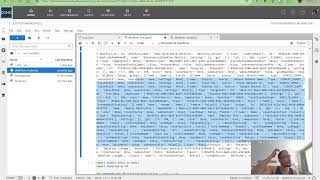
When the agent is asked to generate a diagram from a process description — in the demo, a multi-step help desk ticket workflow with conditional approval chains and auto-close logic — it pulls the relevant Mermaid syntax from the vector store, constructs valid flowchart code, and returns it.
The rendering step inside Jupyter is worth noting: you can't just drop raw Mermaid text into a cell and expect it to render. It needs to be wrapped in a fenced code block tagged as both markdown and mermaid, which tells the notebook kernel to treat it as markdown-with-embedded-code. That one detail is easy to miss and breaks the output visually even when the diagram syntax is correct.
The full source for the agent and crawler is in the Domo-MafiaCrawler repo.