Managing changes to Domo workflows without a versioning strategy means every edit is immediately live — one misconfigured dataflow and production breaks. Domo Sandbox gives you the DEV/PROD separation that data teams have needed since day one.
Why It Matters
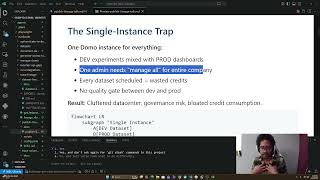
Without Sandbox, Domo operates as a single environment: changes happen in production, testing is guesswork, and rollbacks are manual and painful. Sandbox introduces a structured promotion path — build in DEV, validate, then push to PROD — so your downstream consumers stop seeing broken pipelines mid-day. More critically, it enables teams to work in parallel: one analyst can iterate on new logic while production continues running the stable version uninterrupted.
What You'll Learn
- Set up Domo Sandbox to create isolated DEV and PROD environments within your instance
- Use Linked Repositories to attach new DEV workflows to existing PROD workflows without disrupting live data
- Understand how Sandbox mirrors Git-style version control concepts (branches, commits, promotion)
- Structure a CI/CD workflow natively in Domo without external tooling
- Manage QA checkpoints before any changes reach production consumers
Version Control in Domo: How Sandbox and Linked Repositories Work Together
Domo Sandbox functions similarly to a Git repository but operates on Domo objects — dataflows, datasets, cards, and apps — rather than code files. Each environment (DEV, QA, PROD) holds its own version of those objects, and changes move between them through a controlled promotion process rather than direct edits.
The key pattern shown here is Linked Repositories: a mechanism that lets you attach a DEV workflow to an already-live PROD workflow. This is especially useful when you're adding net-new logic to an existing pipeline. Instead of cloning the whole PROD setup and risking drift, you link a new DEV repo to the existing one, develop your additions in isolation, then promote only the delta.
This matters because Domo environments can diverge quickly. Without linked repos, teams often end up with duplicate dataflows that grow out of sync — a common source of "why does my dev number not match prod?" frustration. The linked approach keeps a single source of truth for the production logic while giving you a clean branch to work against.
A few things to watch as you set this up: Sandbox tracks object-level changes, not field-level diffs, so your commit messages and promotion notes carry most of the documentation weight. Build the habit of annotating promotions clearly — six months from now, that context is what separates a smooth rollback from a full investigation.
For teams already using Domo Publish for distributing content across instances, Sandbox pairs naturally with it: Sandbox handles your internal DEV→PROD gate, Publish handles distribution outward. The follow-up video linked in the description covers exactly that combination.